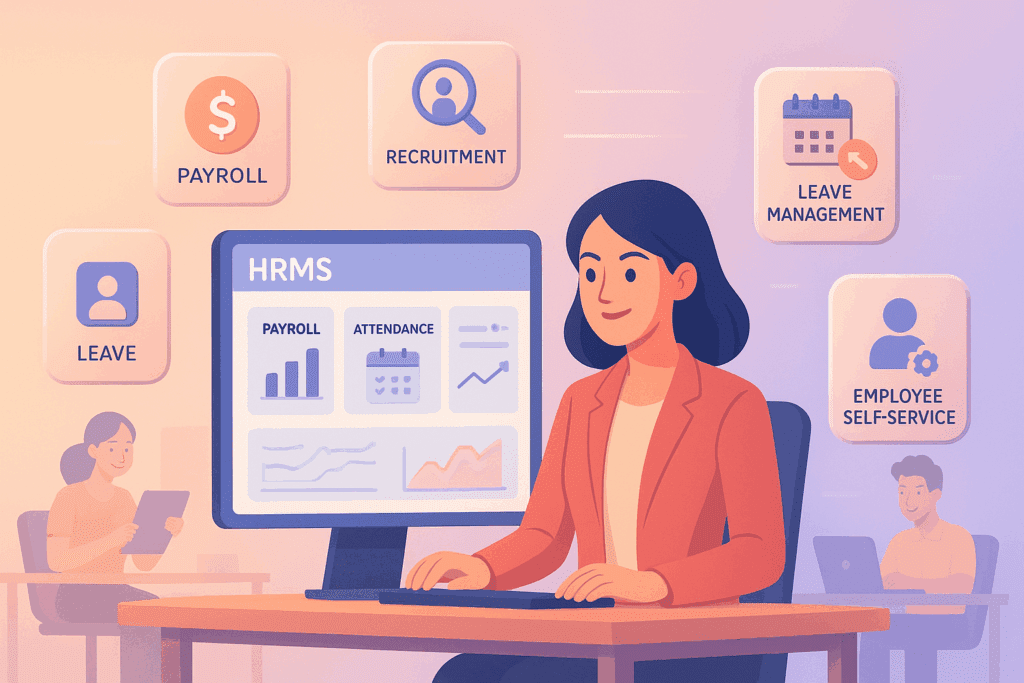
HRMS is software that replaces spreadsheets and email for every HR process: employee records, payroll, leave, attendance, PF and ESIC filings, and appraisals. Indian employers use an HRMS to enforce statutory compliance and cut manual HR work by 60 to 80 percent.
HRMS stands for Human Resource Management System. It is software that holds your employee records, attendance, leave, payroll and statutory filings in one place, with workflows connecting them. To choose a tool, see our guide to the best HRMS software for small business.
That is the whole definition. What takes longer to explain is which modules you actually need, and at what headcount buying one starts to make sense.
What is HRMS software?
An HRMS is a single system of record for everything about employment. Instead of a joining spreadsheet, a separate attendance register, a payroll file and a folder of scanned documents, there is one place where each of those lives and they agree with each other.
The practical test is this: when an employee applies for leave, does the balance update and does payroll see it without anyone re-typing anything? If yes, you have an HRMS. If no, you have several tools.
You will also see HRIS and HCM used. HRIS is usually the record-keeping layer only. HCM adds strategic pieces like succession planning. For most Indian companies under 300 people, HRMS is the relevant category.
HRMS modules: what each one does
Most Indian HRMS products are sold as modules. These are the ones that matter, roughly in the order you will need them.
Core HR (employee database). Personal details, documents, reporting lines, salary structure, employment history. Every other module reads from this, so if it is set up badly everything downstream inherits the problem.
Payroll. Gross to net, PF and ESI, professional tax by state, TDS across two tax regimes, arrears, full and final settlement. This is where Indian HRMS products differ most from international ones, and where a global product usually falls short.
Attendance. Biometric, geo-tagged or app-based punching, shift rosters, overtime capture. The point is a record you can produce a year later, not the punching method.
Leave. Accrual, carry-forward, lapse and encashment, configured per state. The OSH and Working Conditions Code, 2020 sets a central floor and your state Shops and Establishments Act often sits above it.
Statutory compliance. PF and ESI returns, professional tax challans, Form 16. Ask specifically whether it files per work location rather than per company.
Onboarding and exit. Document collection, offer letters, acknowledgements, clearance and settlement.
Employee self-service. Payslips, leave balance, tax declarations from a phone. This is what removes the interruptions from HR.
Performance and recruitment. Useful, but almost nobody should buy an HRMS for these. Get the first six right first.
What changes once it is running
Payroll stops living in one person’s head, which is the single biggest operational risk in a small company.
Employees look things up instead of asking. Statutory deadlines become visible, which matters now that wages are due by the 7th of the following month under the Code on Wages, 2019, and final settlement within two working days of someone leaving.
And you get an audit trail. When an ex-employee disputes leave encashment eighteen months later, you have dated records rather than a recollection.
What it will not do is fix unreliable attendance data or a badly designed salary structure. It processes what you give it, faithfully, every month.
Choosing one for an Indian company
Four questions separate products quickly.
- Does it hold separate statutory settings per work location? Professional tax, minimum wages and Shops and Establishments rules follow where the employee works, not where you are registered. A single company-wide setting is the most common payroll error we find.
- When did they last apply a minimum wage revision for your state? A specific answer means someone tracks notifications.
- Will employees use it on a phone? If not, they will keep messaging HR.
- What happens to your data if you leave? Export format and deletion, in the contract.
On size: under about 15 people a disciplined spreadsheet is genuinely fine. Between 15 and 50 it depends on how many states you employ in. Above 50, buy one.
The part that decides whether it works
Not the feature list. The configuration.
Salary structures, leave rules and statutory settings entered wrong at the start produce confident, consistent, wrong output for years. A well configured basic system beats a powerful one set up badly.
Run one month in parallel with your existing process before switching. That is where the problems surface, and it is the step people skip.
We include a Cloud HRMS with our plans and configure the statutory settings for each state you employ in. See how HRMS setup works, or tell us your headcount and states.
Frequently Asked Questions
What are the core modules of an HRMS?
Core HR (employee master, org chart), payroll, attendance, leave, statutory (PF, ESIC, PT and TDS reporting), employee self-service and manager self-service. Advanced HRMS also cover performance, recruitment and learning.
How is an HRMS different from a payroll tool?
A payroll tool only runs salary and statutory filings. An HRMS ties payroll to attendance, leave, salary structure, employee master and self-service, so the same employee change flows to every module without duplicate entry.
Do small businesses in India need an HRMS?
Above 20 to 25 employees, an HRMS pays for itself in time saved on payroll, leave and statutory work, plus fewer errors. Below that headcount, a good spreadsheet plus payroll outsourcing is often enough.
What HRMS features are non-negotiable for Indian compliance?
State-wise PT settings, per-state PF and ESIC handling, Form 16 and TDS reporting, LWF and gratuity calculators, and statutory challan generation. Any HRMS missing these will need manual patches every month.
Registrations, documents, payroll and the first-90-days plan for a growing Indian company.
Get it free →